
Emojis to Copy and Paste into Text

How to Use Emojis in Your Texts Without Losing Focus
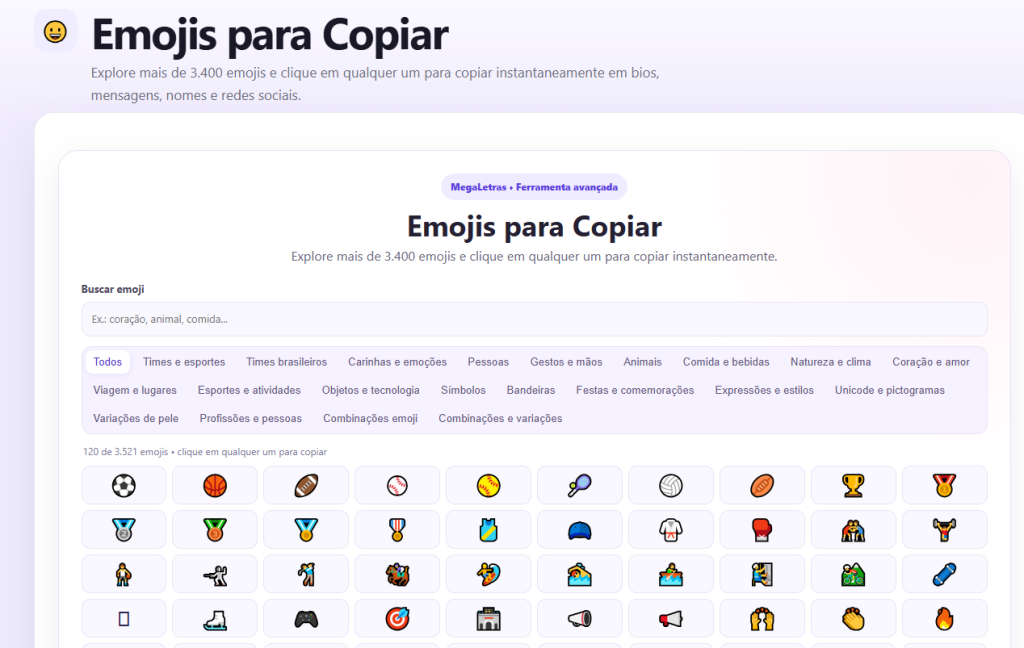
Emojis are visual elements that help break up text, highlight ideas, and convey emotions quickly. Instead of writing long sentences, you can insert an emoji at the beginning of each topic, separate blocks of content, or emphasize an action you want the reader to take. This works especially well in bios, captions, and direct messages, where space is limited and every character needs to make a difference.
The megaletras.com website features more than 3,400 emojis organized by category, allowing you to quickly find the right symbol for any situation. Just click on any one, and the emoji is automatically copied, ready to be pasted wherever you want.
When to Include Emojis in Your Content Strategy
- Professional Biography: An emoji at the beginning of the description catches the reader's attention without seeming too informal.
- Post captions: It separates sentences and gives the reading a rhythm.
- Direct messages: makes it easier to understand instructions or steps to follow.
- Names of regular starters: creates a visual identity when used consistently.
Choose emojis that match the message
The main rule when using emojis is to maintain consistency with the tone of your communication. Arrow icons, checkmarks, or minimalist symbols convey order and clarity, while more colorful and expressive emojis are ideal for informal interactions. Avoid overusing emojis: one or two per block of text is enough to hold the reader’s attention without making the text overwhelming.
On megaletras.com, you can filter by categories such as “arrows,” “symbols,” “cultural emojis,” or “geometric shapes,” which helps you find exactly the style that matches your brand or campaign.
How to Apply This in Practice
Copying an emoji from the website is simple: when you click on it, the icon is automatically copied to the clipboard. Then, just paste it into the desired field—whether it’s your Instagram bio, a WhatsApp message, or a slide presentation. To maintain visual consistency, choose a set of elements and repeat them in all your posts.
If you work in content management, this practice can also be used to create quick templates: set a standard using two or three emojis to start topics and apply it to all your posts for the week.
Highlight text without losing clarity
A common mistake when using emojis is to replace words with icons. Best practice is to use them as visual aids, never as substitutes for essential information. An emoji next to a heading or list item helps guide the reader’s eye, but it should not make it harder to understand for those using screen readers or machine translation.
Megaletras.com offers options in standard Unicode, ensuring compatibility across different devices and operating systems, which prevents emojis from appearing as squares or unknown characters.
Practical examples of combined use
- Tip 1: 📌 Set priorities at the beginning of the week
- Tip 2: ✅ Proofread your texts before publishing them
- Tip 3: 🚀 Share content at strategic times
Repeat this format in internal emails, posts, or digital business cards. This way, the use of emojis becomes part of your visual identity without compromising professionalism.
Practical Conclusion
Emojis aren't just for decoration: they're a communication tool that, when used intentionally, increases engagement and makes your message clearer. With hundreds of options organized in the megaletras.com, you can quickly find the right icon for each context. Start by testing two or three per text and see how your audience's perception changes.

Leave a Reply